
In 2017, Factry CEO Jeroen Coussement ended a talk at an industrial IoT conference in Brussels with a prediction: "Imagine walking around your production plant and simply asking Siri what the status of line three is." Then he added: "We're not there yet. But we're getting close."
With Factry Historian v8.1, we're there.
You can now just ask
Factry Historian v8.1 ships with a built-in MCP server meaning you can now connect your production data directly to the AI tools your team already uses and query it in plain language.
- "What happened on Line 3 last night?"
- "Which batch had the highest energy consumption this week?"
- "Why did the mixer stop at 14:32?"

This isn't a new AI tool bolted onto Historian. It's an open protocol which means you connect whichever AI your team already uses: Claude, ChatGPT, a local model, or your company's internal LLM. Think of it like adding Google Drive to ChatGPT. You point the AI at your instance, and it can query not just raw time-series values but your full production context: asset models, relationships between equipment, units of measurement, events, batches.
And for teams with strict data governance policies, you can run a local model or connect to an internal system entirely. No data leaves unless you want it to.
Who benefits
The honest answer is: almost everyone who works with production data.
- Operators can ask why a fault light is on and get an answer without navigating systems they were never trained on
- Quality managers can pull together batch data and process parameters to investigate a complaint without waiting for an engineer to run the query
- Process engineers can get to the relevant data faster during root cause analysis and verify the numbers directly in Historian
- Plant managers and leadership can get a quick status read without waiting for a report to be built
The people who feel this most immediately are often those who currently have no access to the data at all not because the data doesn't exist, but because the tools to reach it were never designed for them. You can always links back to the underlying data, so you can verify any conclusion by asking it to show the source. Use it as a powerful shortcut.
What else is new in Factry Historian v8.1?
- Bulk event actions: delete or re-evaluate groups of events in one action
- Smarter manual entry: sticky form groups, immediate property entry, bulk time editing
- More robust calculations: automatic context reset, linear fill TWA, better bad-quality handling
- Recursive deletion with dependency preview: see exactly what will be affected before confirming
- Unified asset tree selector: consistent asset selection across Excel export, Parquet export, and forwarders
- Infrastructure flexibility: optional TLS disable for gRPC behind reverse proxies
Read the full release notes here
1. Bulk event actions
Bulk deletion and bulk re-evaluation are now available directly from the events overview — clean up or re-run a group of events in one action instead of touching each one individually.


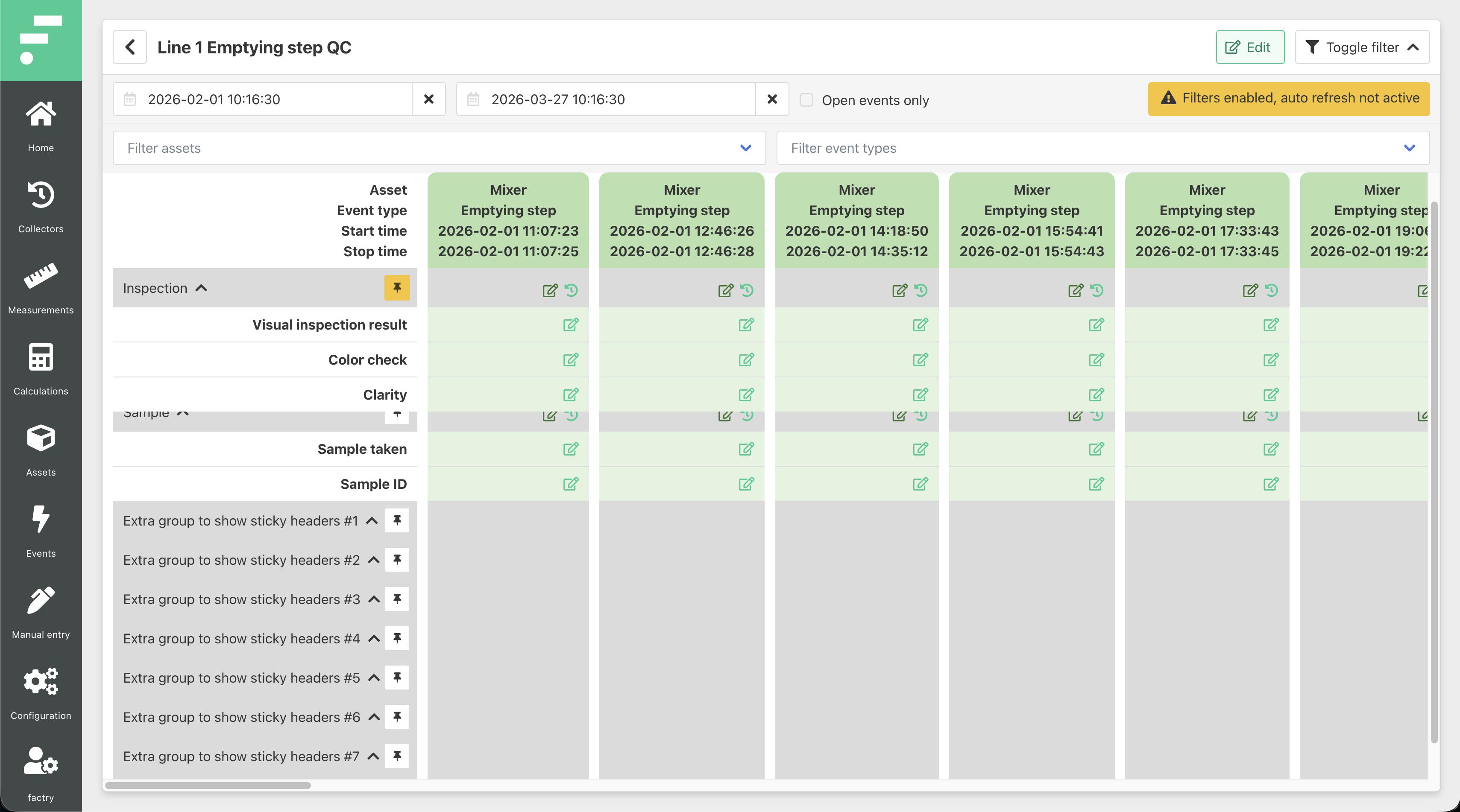
2. Smarter manual entry:
Manual entry forms have also been tightened up. Form groups stay pinned as you scroll, a new "Create & Fill" button lets you enter event properties immediately after creation, and start/stop times can now be edited directly from the bulk edit modal.

3. Robust calculations
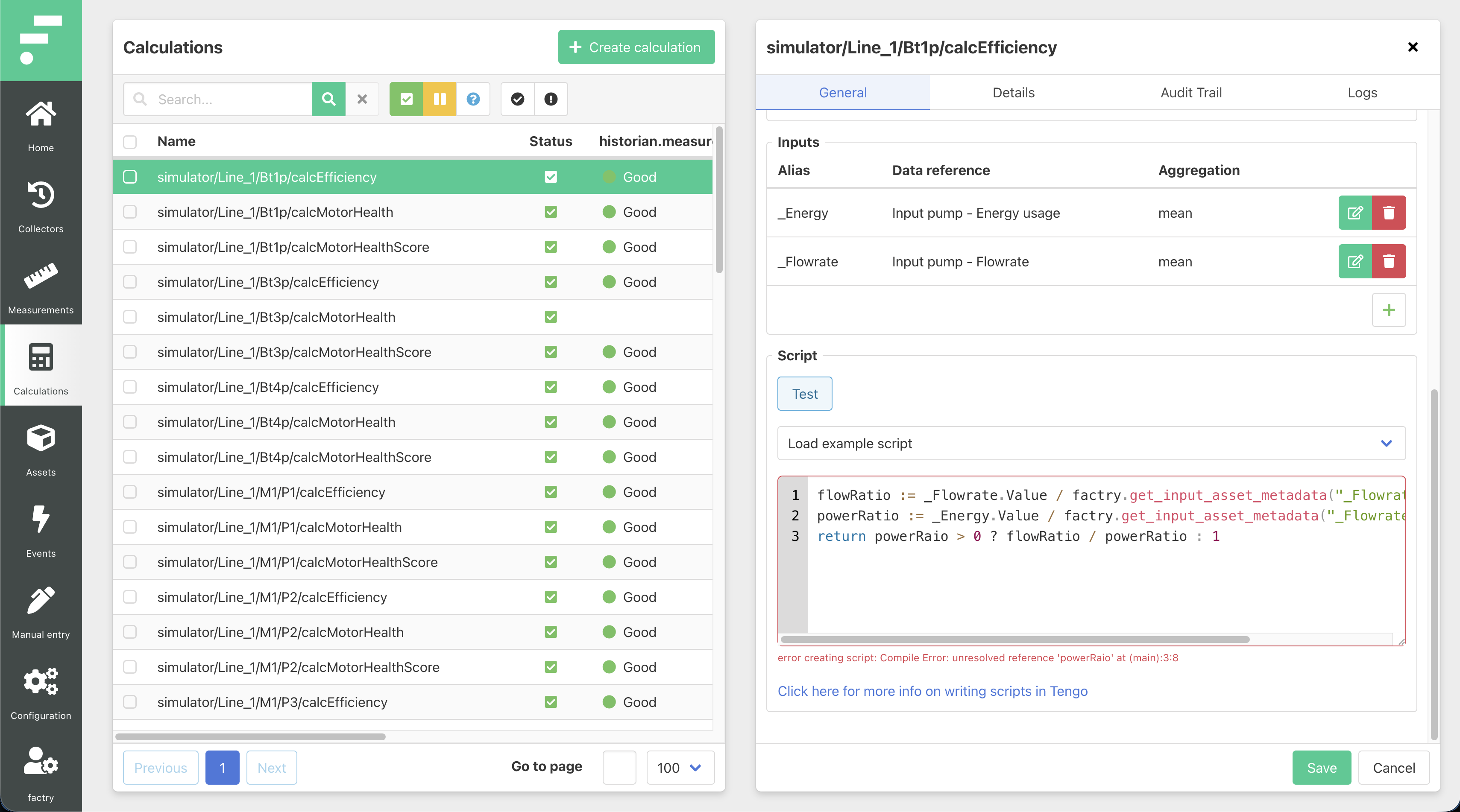
Changing a calculation type now automatically resets its context — no more unexpected behaviour from leftover configuration. TWA aggregation gains a linear fill option for more accurate averages on sparse signals. Sampled calculations keep advancing even through stretches of bad-quality data instead of stalling silently. And Tengo script errors now appear inline in the editor, pointing directly to the problem.
For prototype users: instance overrides now default to "keep" when a prototype is updated, preserving custom configurations instead of resetting them.
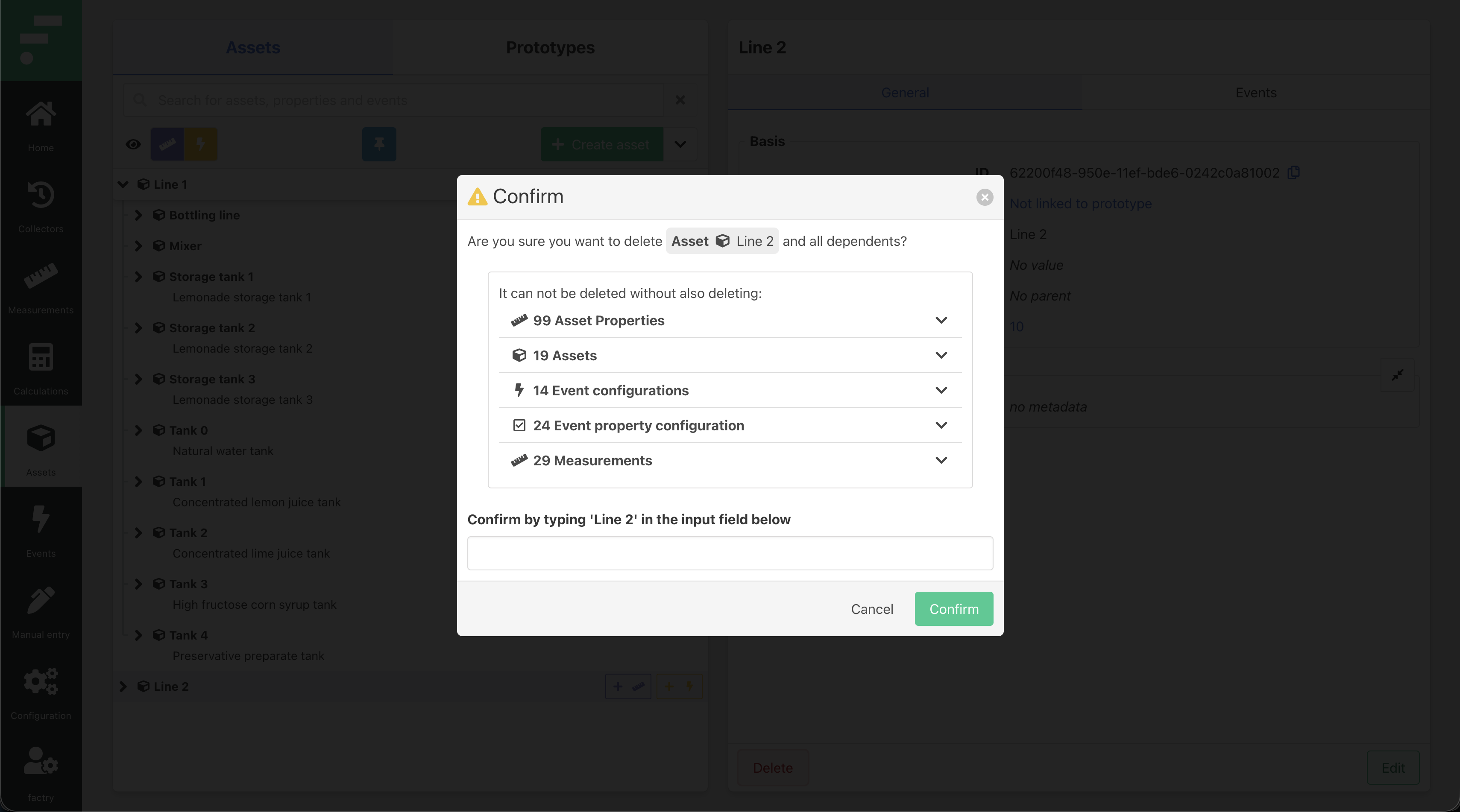
4. Recursive deletion
Recursive deletion now shows a full dependency preview before anything is removed — every affected object listed by type, with a name confirmation required before proceeding.
A configurable task cleaner handles old completed tasks automatically, and time series data can now be queried via asset property UUIDs through the REST API.
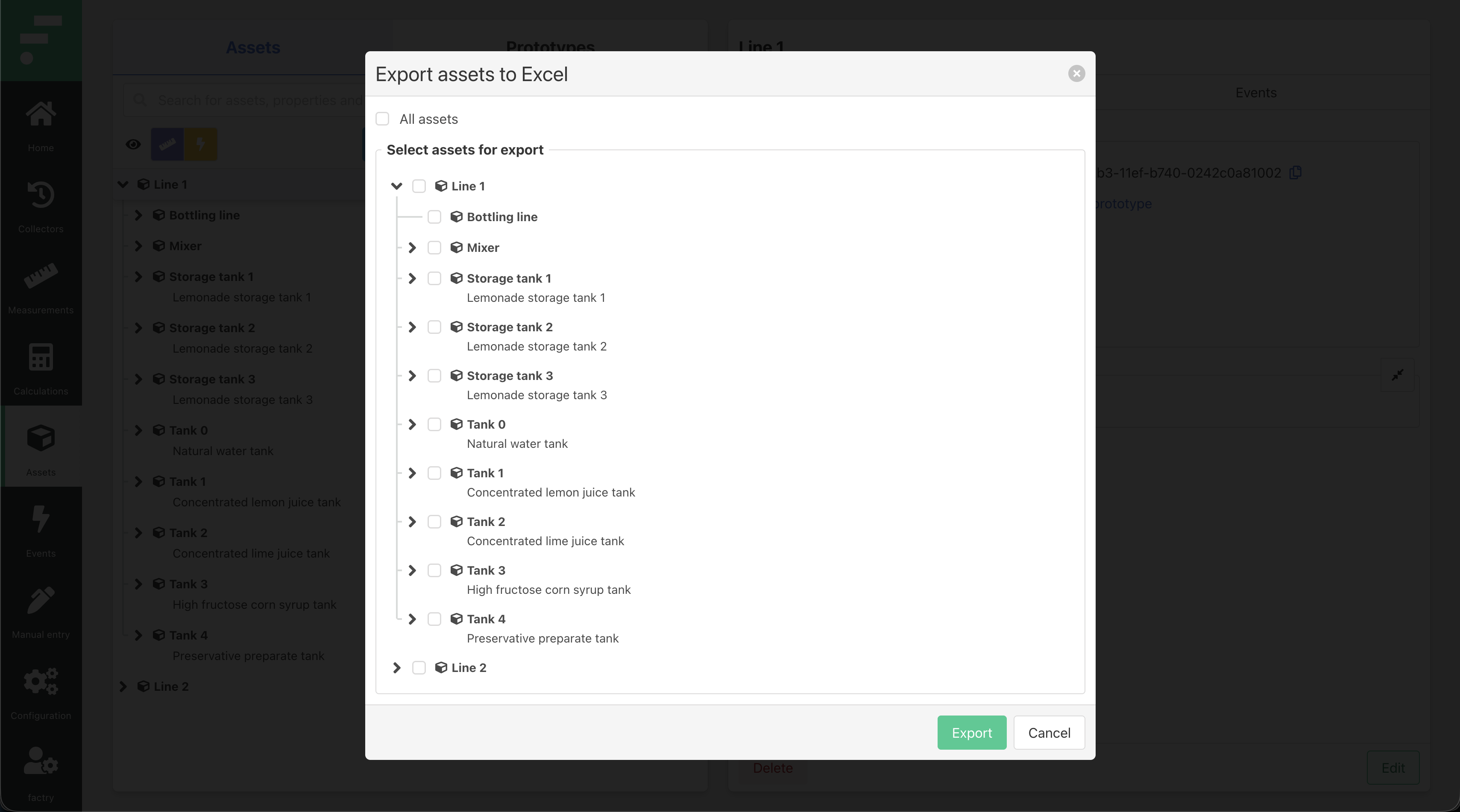
5. Unified asset tree selector
A unified asset tree selector is now used consistently across Excel exports, Parquet exports, and forwarder configuration. Excel exports in particular now let you select specific assets before generating the file — no more exporting everything and trimming it down.
6. Infrastructure flexibility
TLS for gRPC between Historian and collectors can now be disabled for deployments behind reverse proxies. Startup logs are less verbose. Toggle switches have been replaced with checkboxes throughout the UI, and identifiers like UUIDs are now easily copyable wherever they appear.
Ready to explore Factry Historian v8.1?
Read the full release notes on our documentation site →
Want to see the MCP integration in action? Book a demo with our team →

.png)